
GitHub Integration in RestMic: PR Reviews, Code Tracking & Complete Setup Guide
Learn how to connect GitHub with RestMic and manage pull requests, code reviews, and development tracking directly inside your project workflow.
🚀 Why GitHub Integration is Important for Teams
Modern development teams often struggle with disconnected workflows — code lives in GitHub while tasks are managed elsewhere. This leads to poor visibility, missed updates, and slow decision-making.
With GitHub integration in RestMic, you can unify your entire workflow — from task creation to code review — in one place.
- Centralized task and code visibility
- Faster collaboration between developers and managers
- Real-time updates on development progress
- Reduced dependency on manual communication
💡 What You Can Do with GitHub in RestMic
Once connected, RestMic becomes your central hub for development tracking and execution.
🧠 Built-in Pull Request Review System
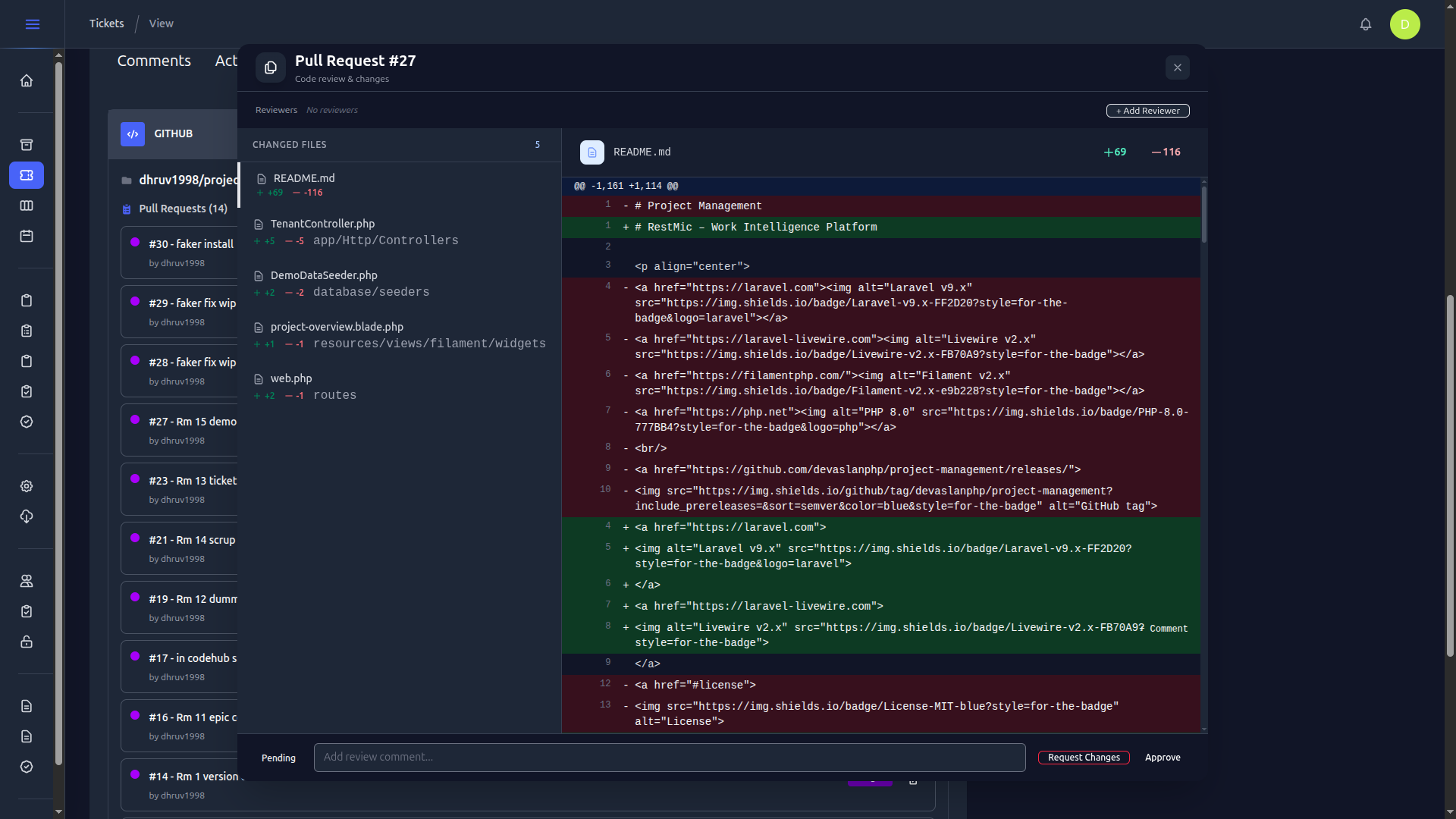
RestMic provides a complete PR review experience inside your ticket view — similar to GitHub, but fully integrated with your project workflow.
- File-level diff viewer
- Inline comments on specific lines
- Threaded discussion for collaboration
- Resolve comments after fixes
- Multiple reviewer support
🔗 How Pull Requests are Linked to Tickets
RestMic automatically connects pull requests with tickets using branch naming conventions.
When this format is followed:
- PRs automatically appear in the Development tab
- Commits are linked to the correct ticket
- Status updates reflect instantly
⚙️ Step-by-Step GitHub Integration Guide
Step 1: Create GitHub OAuth App
Go to GitHub Developer Settings and create a new OAuth application.
- Copy Client ID
- Copy Client Secret
Step 2: Generate Personal Access Token
Create a classic personal access token with required permissions.
- repo
- read:org
- workflow
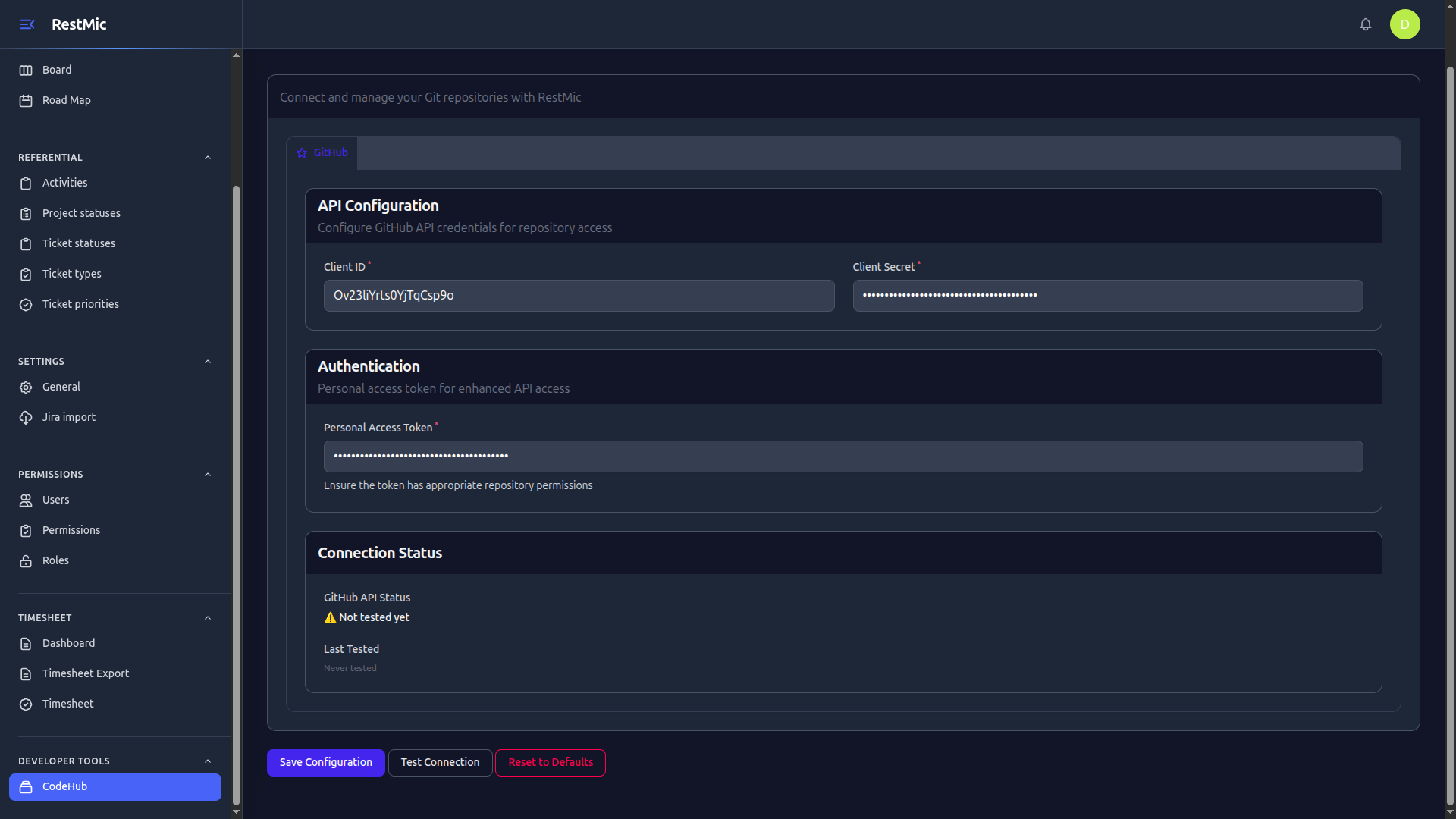
Step 3: Add Credentials in RestMic
- Go to CodeHub
- GitHub Integration
- Add credentials
- Save configuration
📦 Repository Selection in Projects
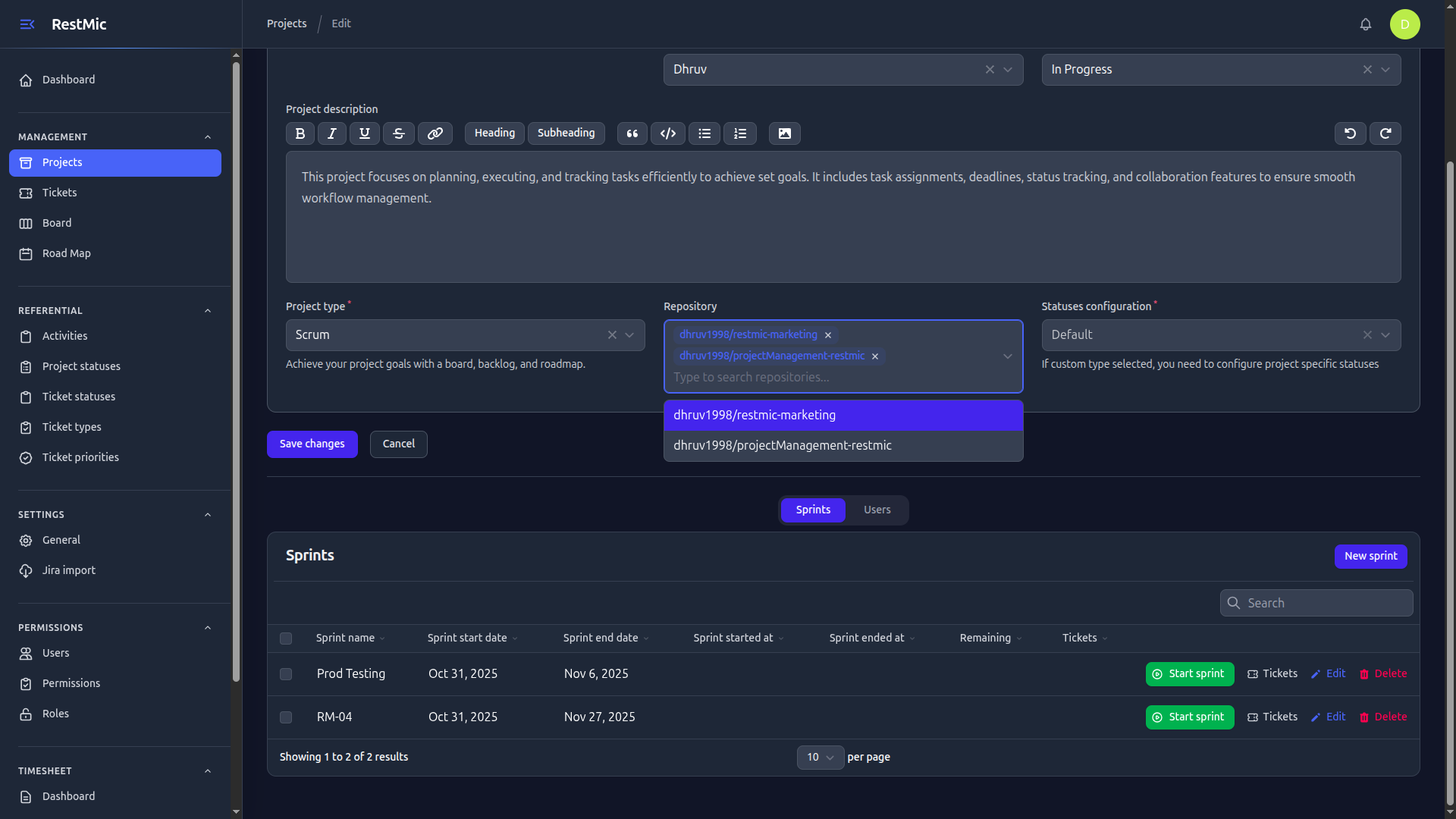
After integration, you can connect repositories while creating or editing a project.
- Select from available repositories
- Link specific repos to projects
- Enable PR tracking per project
🎯 Benefits of Using GitHub with RestMic
🚀 Final Thoughts
GitHub integration in RestMic is designed to eliminate fragmentation in development workflows.
If your team wants clarity, speed, and better execution, integrating GitHub with RestMic is the first step.